Meta Muse Gadgets: Build Your Own AI Hardware
Meta just open-sourced Muse Gadgets — free ESP32 firmware and a Linux SDK that let anyone build their own hardware for Meta's Muse AI agent. Here is what the project includes and how you can start building your own AI gadget today.
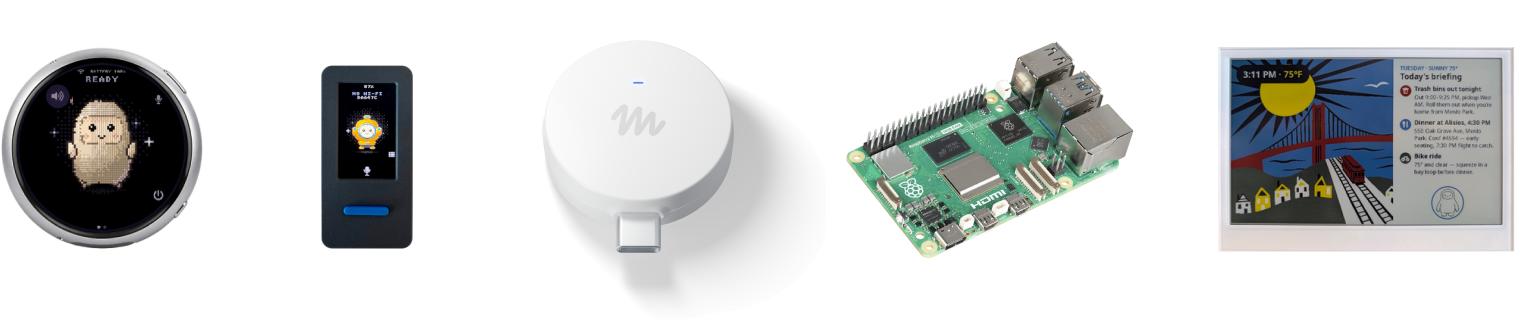
Image: Meta
What Are Meta Muse Gadgets?
On October 2, 2026, Meta announced Muse Gadgets, an open-source project from its Superintelligence Labs that moves the Muse AI agent off the screen and onto hardware you build yourself. Muse is Meta's personal AI agent — software that can book travel, fill out forms, and shop on your behalf. Until now, it lived inside apps. Now Meta is handing makers the tools to give it a physical body.
The announcement came from Nat Friedman, head of product at Meta's Superintelligence Labs, who described it as a "side project" built by hackers, for hackers. Meta has published the device firmware and SDKs under the Apache 2.0 license, set up a community Discord for builders, and kicked things off with a reference gadget of its own.
How Muse Gadgets Work
Getting started requires three things: an API token, some hardware, and a little courage. Developers grab a free SDK token from gadgets.muse.ai, point their coding agent at the project's GitHub repository, and start wiring things up.
ESP32 Device SDK
The ESP32 Device SDK is open-source firmware for ESP32 microcontroller boards — tiny, cheap chips popular with hobbyists. With it, you can connect a screen to display images, add audio input and output for voice, and wire up sensors. In plain terms: a $10 board from your workbench can become a physical device your AI agent controls.
Linux Device SDK
The Linux Device SDK turns a spare Raspberry Pi or any Linux box into a Muse gadget. You can write custom commands that let Muse handle sysadmin chores or talk to your Home Assistant smart-home setup — useful if you already run a small home server.
What You Can Actually Build
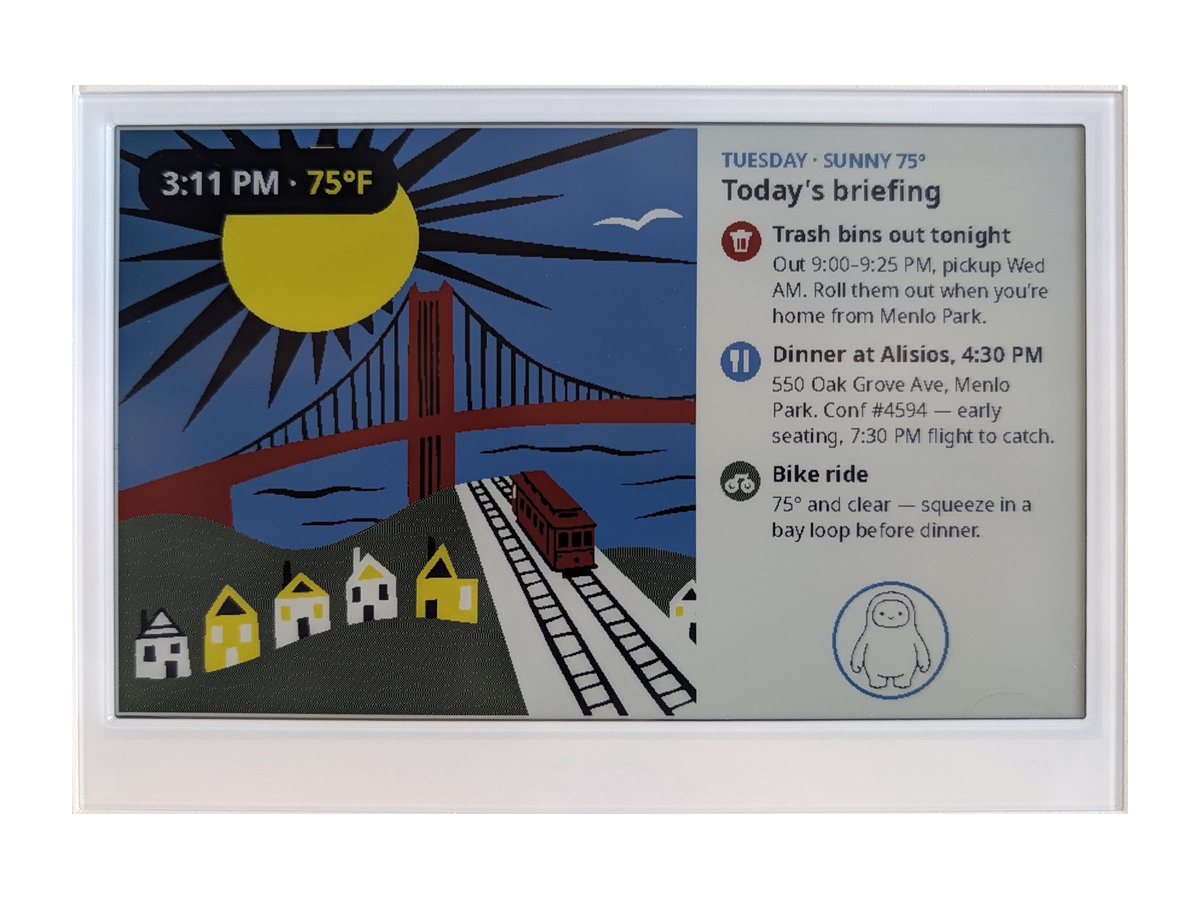
Image: Meta
Meta suggests a few starting projects on the official site, and the community is already going further:
- A color e-ink display — a bedside screen where Muse shows your morning briefing, reminders, or shopping list.
- An HDMI stick for your TV — plug it into your television's HDMI port and ask Muse to put things up on the big screen. (Marked "coming soon" on Meta's site.)
- A touchscreen pocket accessory — similar in spirit to the Muse Charm, Meta's tamagotchi-like AI device.
- Custom boards with buttons, sensors, and actuators — Meta says there are few limits: "connect Muse to your displays, buttons, sensors, actuators, and whatever else you've got lying on your workbench."
Featured example projects already include the Waveshare ESP32-S3-Touch-AMOLED round touchscreen, the M5Stack StickS3 pocket device, the AiPi Lite desk buddy, and Home Assistant voice devices. Tech writer Federico Viticci even turned an Xteink eReader into an always-on Muse pocket display that attaches to his phone, reporting that setup through the Muse app was smooth.
Meet Muse Home Link: Meta's Own Example
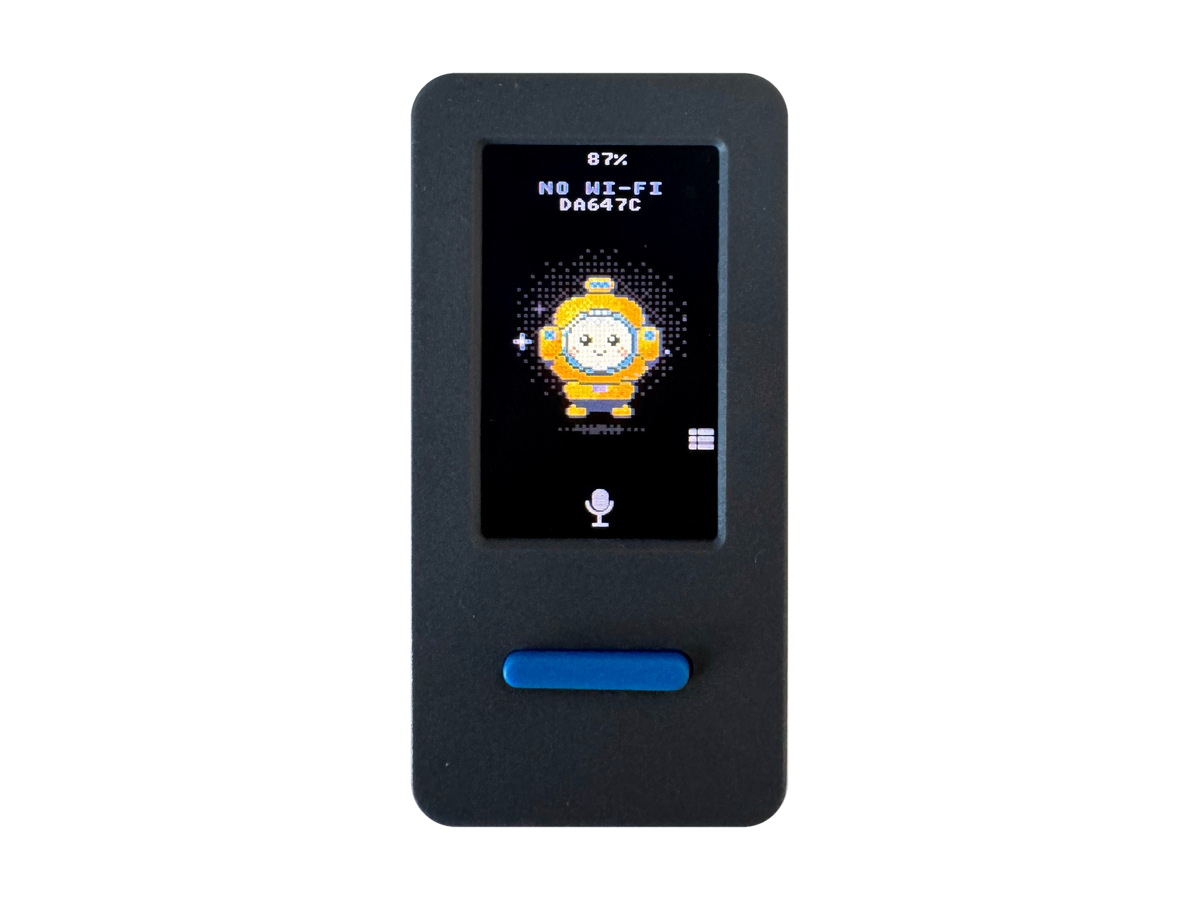
Image: Meta
To show what is possible, Meta built a gadget of its own: Muse Home Link. It is a small USB-C-powered device that lets Muse connect to your home network and talk to smart devices on it — TVs, speakers, and anything else that exposes an HTTPS interface.
Here is the part that got the internet's attention: Meta manufactured 5,000 Home Links and is giving them away free to Muse subscribers while supplies last. Friedman says they should be ready to ship in a few weeks. His announcement post collected nearly 30,000 views within hours, so the freebies may already be spoken for.
Why Is Meta Doing This?
Muse Gadgets fits Meta's all-in strategy to make Muse more than a standalone chatbot. The company is not just pushing Muse on everyday consumers — earlier this week it introduced Muse for Small Business, a free-with-limits version that connects to tools like Shopify, Dropbox, and Slack, plus a new Meta Enterprise Platform business unit.
Open-sourcing the hardware layer is a classic developer play: get tinkerers building today so consumers get better gadgets tomorrow. It also keeps Muse competitive with OpenAI, Anthropic, and Google, all racing to make their AI agents useful in the physical world.
Should You Try It?
If you own a Raspberry Pi or an ESP32 board gathering dust, this is genuinely fun:
- Cost to start: an ESP32 board costs a few dollars; the firmware and SDK are free and open source.
- Skill level: you will need basic familiarity with flashing firmware and following developer docs — this is not a plug-and-play product yet.
- Expect rough edges: Meta's own site warns of "side effects" including bricked boards and voided warranties. Back up anything important first.
- Community help: the dedicated Discord is the best place to see what others are building and get unstuck.
For everyone else, the takeaway is simpler: AI agents are leaving the chat window. Between Meta's Muse Gadgets and the growing wave of agent hardware, your next "smart" device might be one you build yourself — or at least one a fellow hacker built first.
Want to stay on top of stories like this? Check out more AI news and more technology news on Top Tech Today.
Sources: TechCrunch, iPhone in Canada, gadgets.muse.ai
Discussion
// Sign in with Google to join the discussion (Settings → Comments to change who can comment)